
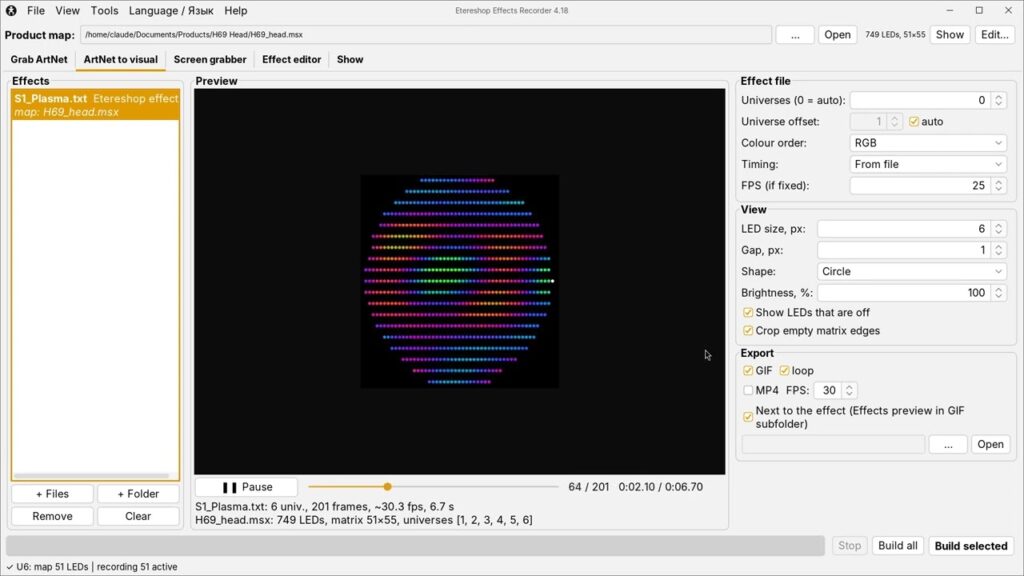
We have recorded a full video guide to the free Etereshop Effects Recorder, the program for making and changing effects for EtereShop LED costumes, wings and helmets. If you have one of our LED products, please take seven minutes to watch it: version 4.18 adds a lot of new things, and the video shows each tab in order, from download to copying effects onto the memory card.

Watch on YouTube: https://youtu.be/fNACkZQ9t3k. The video is in English, with subtitles and chapters, so you can jump straight to the part you need.
What is new in versions 4.16–4.18
New look
The program has a modern light and a dark theme (View → Theme). Effects start playing as soon as you open them in ArtNet to visual and in the Effect editor, and the Space key pauses and resumes playback. Layer settings with a range, such as speed, density, size and opacity, now have a slider with a number field next to it.
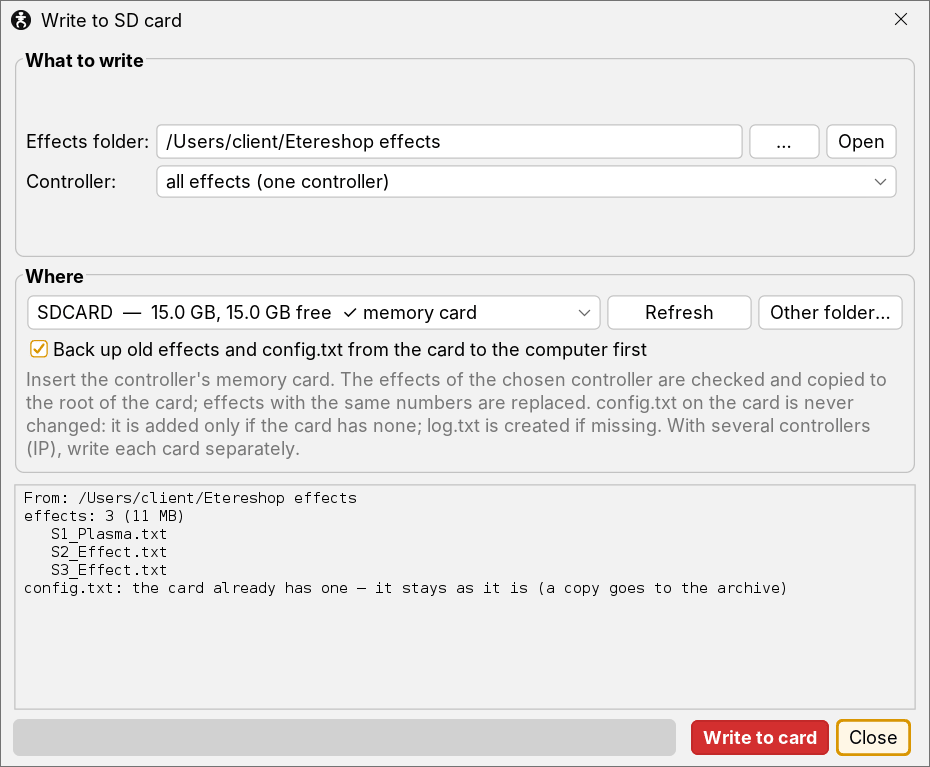
Safer copying to the memory card
The Copy to SD card… button is at the bottom of the Effect editor. The program picks the memory card by itself (a disk up to 32 GB), checks the effects against the controller settings and copies them in one go. It never changes the config.txt file on the card. Old effects and the card’s config.txt are saved into a backup archive on your computer, so nothing is lost.
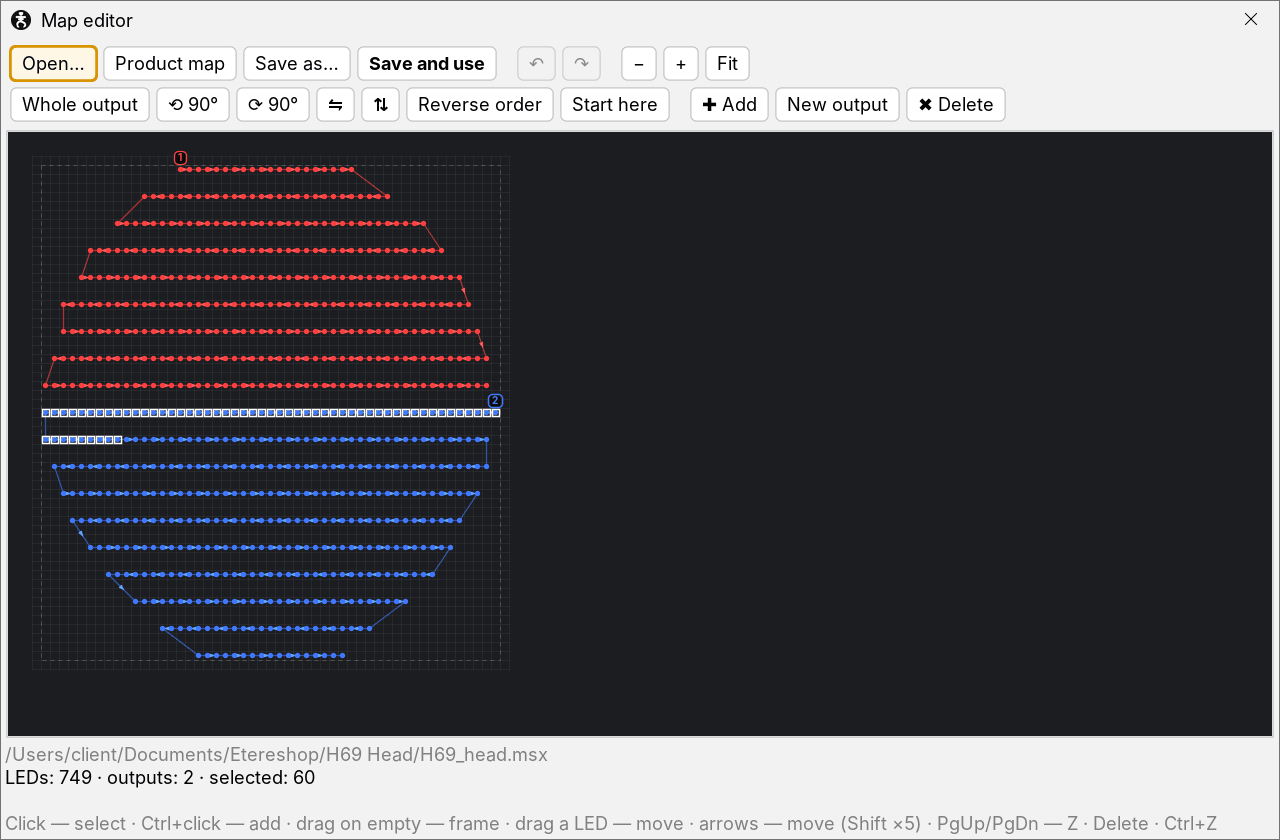
Map editor
The new map editor (Tools → Map editor, or the Edit… button next to the product map) lets you change the LED map of your product: select LEDs with a click or a frame, move, rotate and mirror them, see the wiring order, add or delete LEDs, and save the map together with the controller settings. Recorded effects still fit after moving or rotating.
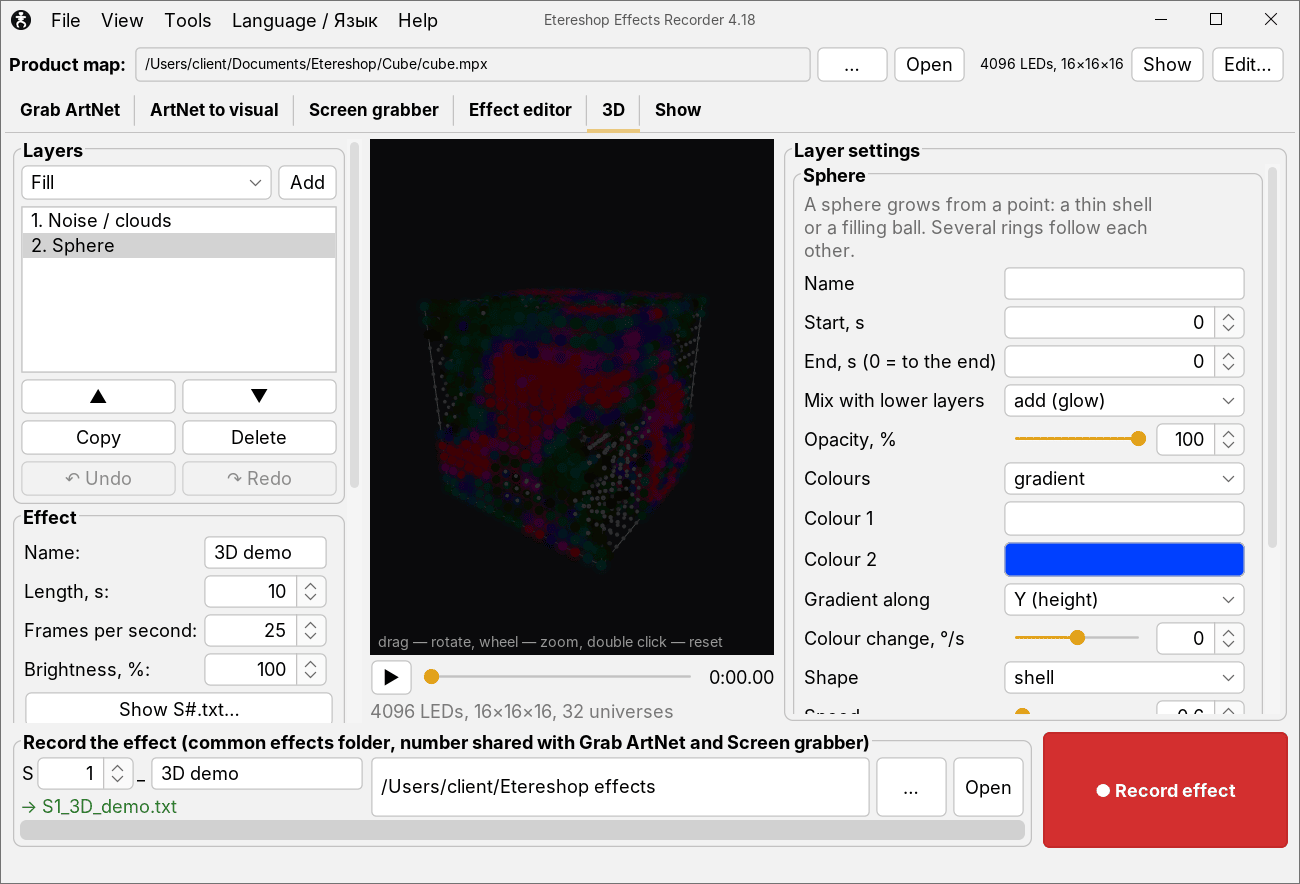
3D products
For LED cubes and other products with depth there is a 3D tab with volume effects: plane, sphere, wave, rain, fire, clouds, sparkles, 3D text, objects from Blender (OBJ) and more.
Smaller things that save time
- Drag files into the window: a map, effects, pictures, GIFs, music, 3D objects.
- Undo and redo (Ctrl+Z / Ctrl+Y) in the Effect editor and the 3D tab.
- Recent product maps in the File menu.
- Updated manuals in 7 languages: English, Russian, French, German, Spanish, Italian and Portuguese.
Where to download and read more
- Download and full guide with screenshots: Effects Recorder on GitHub.
- Latest version: release page on GitHub (Windows with Java included, macOS, and a version for any system with Java).
- Video guide: YouTube.
If you already have the program, it checks for updates once a day and installs the new version in one click. You can also start the check yourself: Help → Check for updates.
The program is still in beta. If something doesn’t work or you need a function, write to sales@etereshop.com.
Earlier update: about 95 LED effects in one click, on Windows or Mac, without Madrix.